Disclosure: This article was written with AI assistance and reviewed by EmpirioLabs AI.
MOSS-Image Turbo is available on EmpirioLabs. It is OpenMOSS's text-to-image model for images that carry words: signs, posters, labels, menus, and layouts, in English and Chinese. It runs on POST /v1/images/generations, in the API and in the Playground.
What it does with text
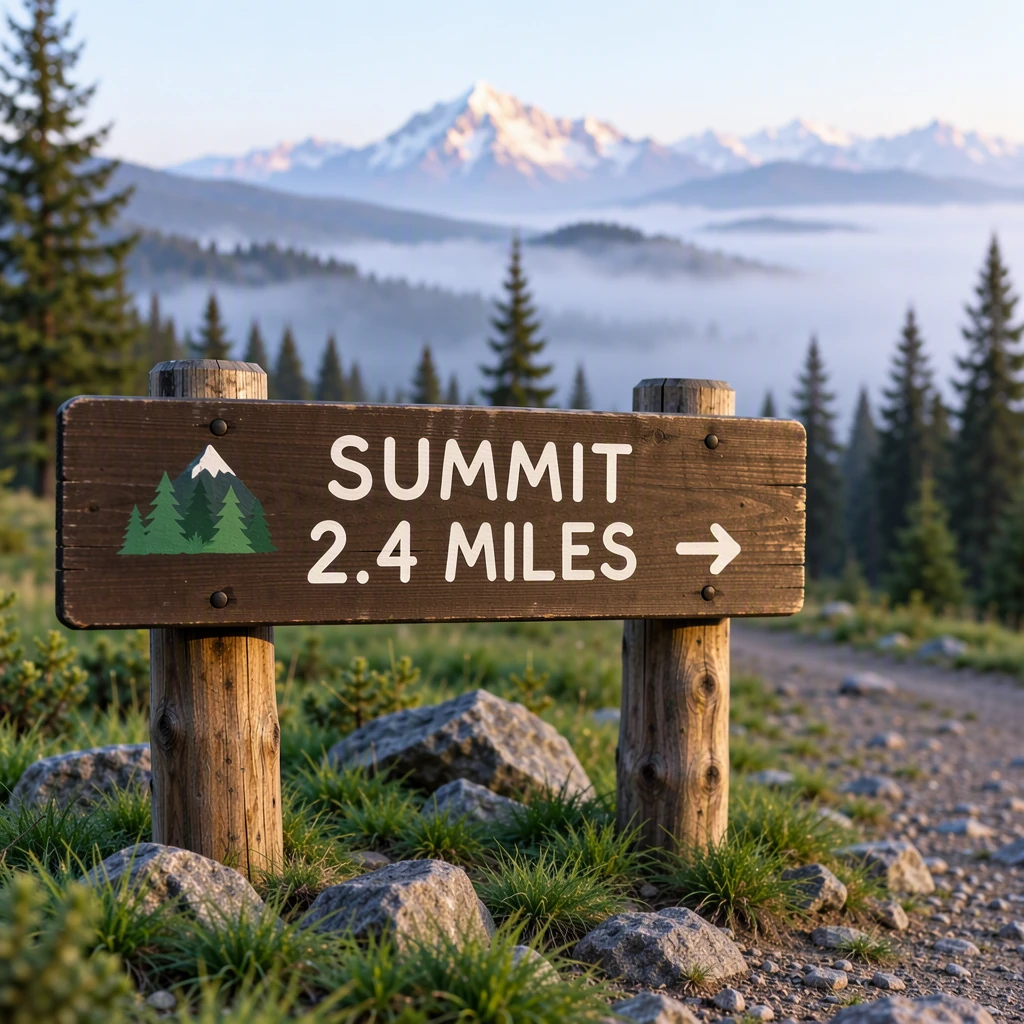
One shot from a trail-sign prompt that asked for the words "SUMMIT 2.4 MILES". The same test against three other models is in MOSS-Image Turbo vs FLUX.2 Klein 4B vs Qwen Image 2.1 vs Seedream 5.0 Flash.
Your first request
curl https://api.empiriolabs.ai/v1/images/generations \
  -H "Authorization: Bearer $EMPIRIOLABS_API_KEY" \
  -H "Content-Type: application/json" \
  -d '{
    "model": "moss-image-turbo",
    "prompt": "A bakery storefront sign that reads \"FRESH BREAD DAILY\" in gold letters, morning light",
    "sync": true
  }'
With sync set, the response is the finished image: a signed URL to a 1024x1024 WebP, with the seed it used. Without it, the response is a job_id to poll at GET /v1/jobs/{job_id}, which suits long batches.
Sizes and options
- Aspect ratio.
aspect_ratiotakes 1:1, 16:9, 9:16, 4:3, 3:4, 3:2, or 2:3. - Exact size.
sizeasWIDTHxHEIGHT, orwidthandheight: each side a multiple of 16 from 512 to 2,048 pixels, and at most 1,048,576 pixels in total, such as 1344x768 or 2048x512. - Several images.
num_imagestakes up to 4. With aseed, the images use that seed and the ones after it (42, 43, and so on), and each image returns its seed. - Formats. WebP by default, PNG or JPEG with
format, and base64 instead of a URL withresponse_formatset tob64_json.
Writing prompts with text
- Quote the words. Put the exact text in quotation marks, for example
a sign that reads "OPEN 24 HOURS". - Say how it looks. Name the lettering and the surface: hand-painted, gold serif, red neon, brush calligraphy, carved wood.
- Chinese works the same way. Put the characters in quotation marks, such as
“春山茶舍”.
Operational notes
- Width and height are multiples of 16. A 1000x1000 request is refused with a 400 that says so; 1008x1008 and 1024x1024 work.
- Sampling is fixed.
negative_prompt,num_inference_steps, andguidance_scaleare refused with a 400 instead of being ignored. - Text to image only. Image inputs and LoRA adapters are refused. To edit from a reference image, use a model with image editing such as FLUX.2 Klein 4B.
- Check posters for extra text. In one of our three test prompts it added a short line of lettering that was not asked for.
Pricing
Billed per image. A request for four images bills four, and a refused request is not billed. Generated images pass an automated content-safety check: an image flagged as explicit is not returned and is still billed. Current rates are on the model page and the pricing page.
Start building
Try MOSS-Image Turbo in the Playground, where every parameter is a live control, and read the API documentation for the full parameter reference.